aluexplainer
Turn a wall of docs into a story worth watching
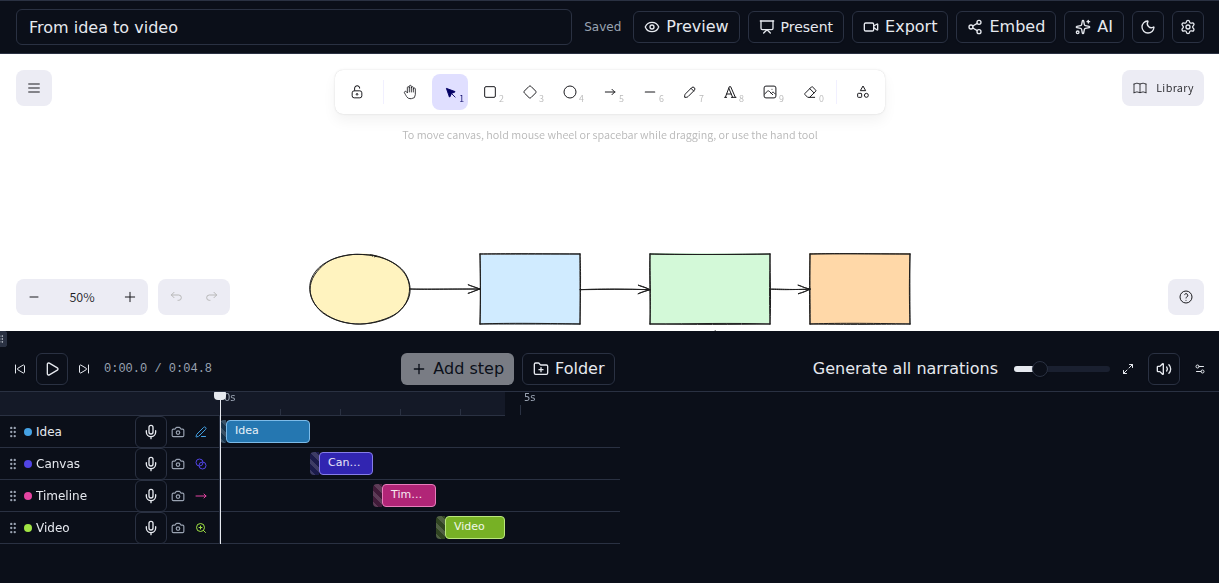
Drop in a doc, a Markdown outline, or plain text — aluexplainer storyboards it on a whiteboard canvas, sequences the reveal on a timeline, and hands you back a video, a live embed, or a fullscreen presentation.
Scroll to play — this is the actual editor engine, not a screen recording.
What people make with it
Four tiny stories, actually playing — same engine as the editor, just muted and on loop.
Something real you could build
A whole system-design walkthrough — Netflix's architecture, drawn and animated step by step. Same engine as the editor, just muted and on loop.
Scroll to play — the actual editor engine, not a screen recording.
How it works
Sketch or import
Draw shapes and diagrams by hand on an infinite canvas, or drop in a doc, Markdown outline, or PDF and let AI storyboard it for you.
Assign motion effects
Group elements into timeline steps, pick a reveal — draw-on, fade, slide, zoom — and set the pacing for each one.
Export, present, or embed
Play it fullscreen, drop a live embed into your site, or render a video to ship anywhere.
Want it faster? Get the desktop app.
Same editor, same stories — it just renders on your machine instead of in a browser tab, so exports are quicker and longer stories never hit a size ceiling. Free for macOS, Windows, and Linux.